
Annual leave management without the spreadsheet
Catapult handles holiday requests from start to finish. People request leave in a few clicks, approvers get reminders, balances stay up to date and everyone can see who's off.
- Free for up to 5 people
- No card required
- One price for your whole team

Priya Shah
Design
- Leave
- Annual
- Dates
- 26–30 Oct
- Left after
- 15 days
 Reviewing
Leila Haddad
Team lead

 Next
NextNoah Caldwell
Covering for Claire Donovan
From request to approved, without the chasing
These are the real screens, shown with an example team.
Step 1
Request
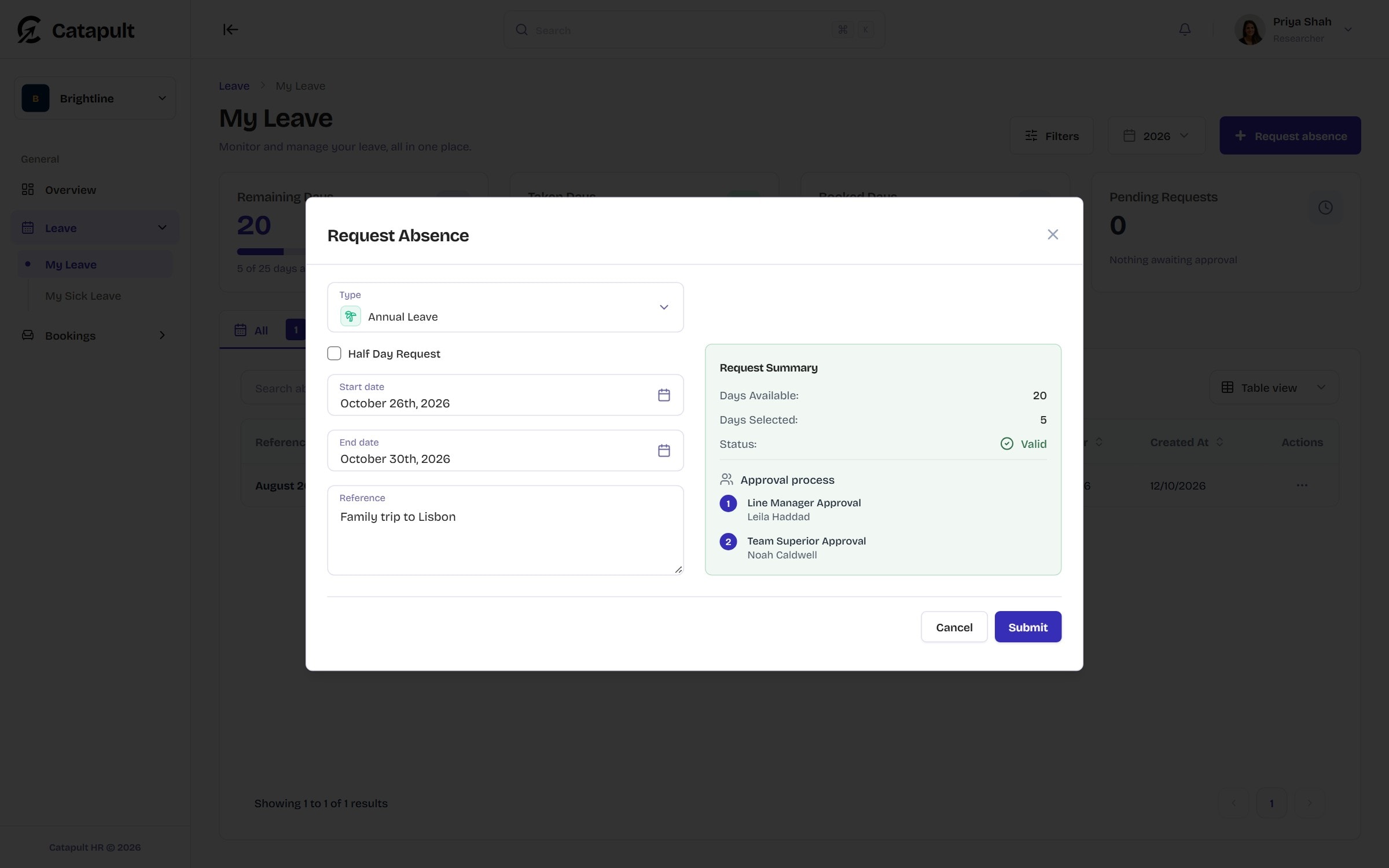
Pick the dates and the leave type. Catapult counts only working days, so bank holidays and closure days don't come out of the allowance, and shows how many days are left and who will approve.
Step 2
Approve
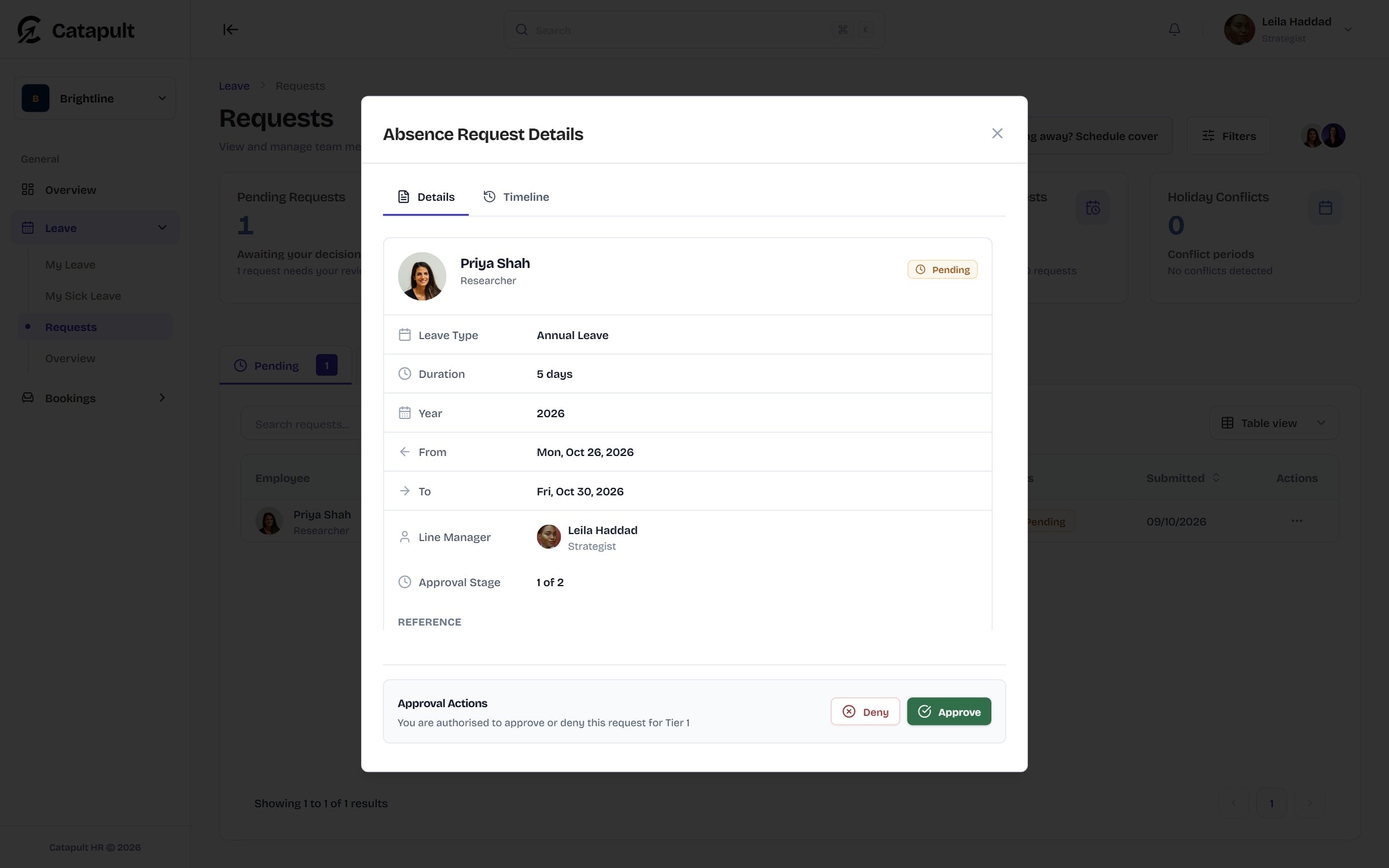
The request goes to the right approver: their approval tiers, line manager or team lead. They see everything in one place and approve or deny it. Someone covering for an approver can approve while they're away.
Step 3
Done
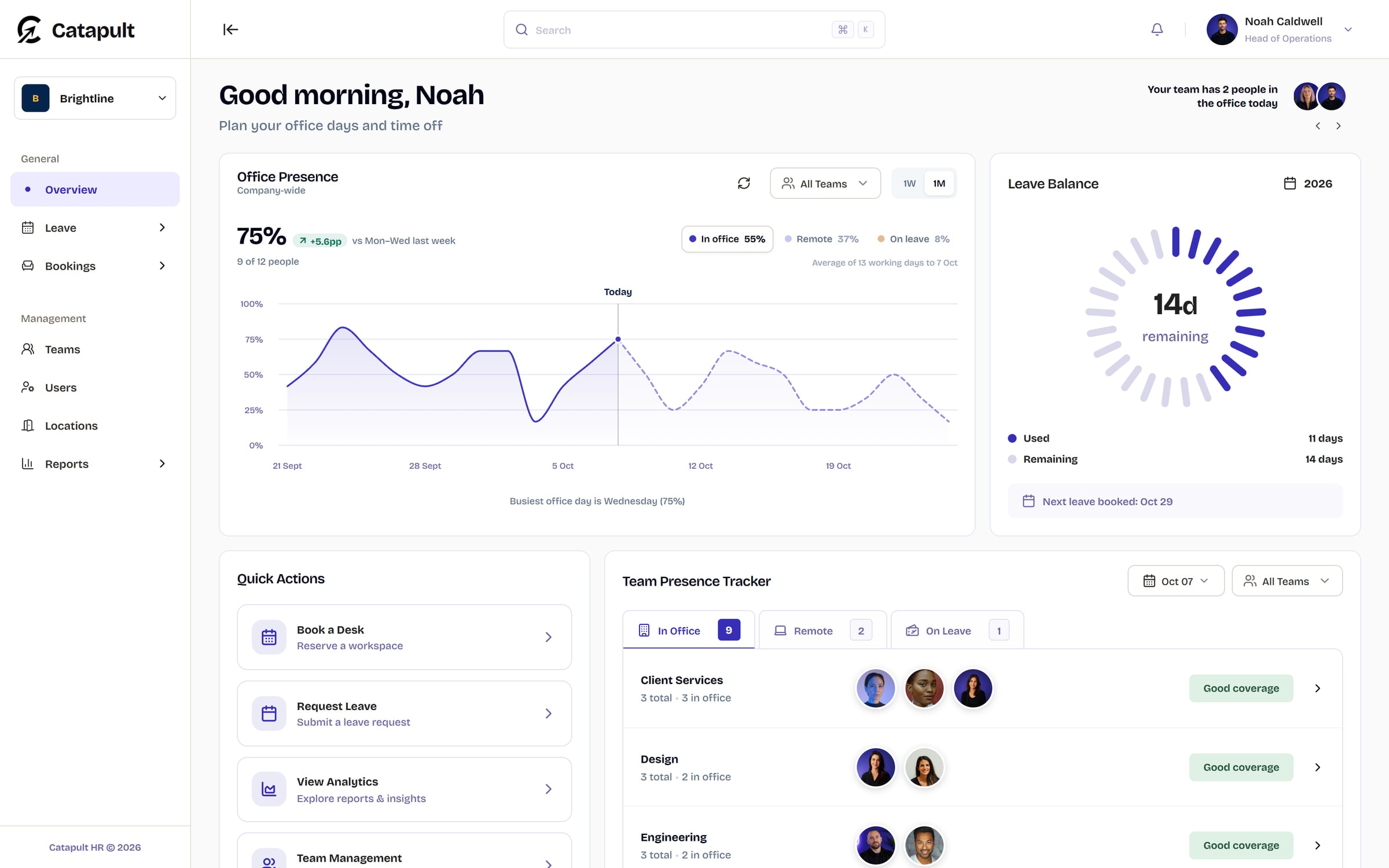
Approved leave shows on the dashboard and the team overview, balances update, and from Starter it appears in your shared Google Calendar.
Rules that match how you work
Set your own leave types, working days, leave year and default allowance, then let the rules do the checking.
- Team rules cap how many people can be off at once, and show the clash when a request would break one
- Half-days and per-person allowances from Starter
- Leave history and balances on each person's profile from Starter
- Multi-level approvals on Professional
Design
Max 2 off at once

Priya’s request would put 3 of Design off on Wednesday.
Nothing left waiting
If a request sits with an approver, Catapult reminds them, and nudges again as the start date gets close. Requests that keep waiting are escalated to admins, and the person who asked hears about it before their leave is due to start.
- Cover for approvers who are away
- Every request keeps its own history of who did what, and when
Request history
Annual leave, 26–30 Oct
- Mon 09:12
Request created
Priya Shah
- Mon 11:40
Tier approved
Leila Haddad
- Tue 08:05
Fully approved
Noah Caldwell
UK bank holidays, handled
Choose England and Wales, Scotland or Northern Ireland and import that nation's bank holidays from GOV.UK, then add your own closure days.
- Bank holidays and closure days never count against anyone's allowance
- Desks can't be booked on those days either
Import public holidays
England and Wales- Christmas DayFri 25 Dec
- Boxing Day (substitute day)Mon 28 Dec
- New Year's DayFri 1 Jan
Sickness, kept separate
Admins and supervisors record sickness apart from holiday, with yearly totals of sick days and separate absences.
- Records hold dates and duration, not reasons
- Every view of a sickness record is logged
Sickness
2026
6
Total sick days
4
Instances
Claire Donovan viewed Sam Patel’s record
LoggedIn your team's calendar, too
From Starter, approved leave appears in the shared Google Calendar you choose, filtered by leave type, so people see who's off where they already look.
Team Leave
Shared Google calendar
- Mon26Annual Leave - Priya S, Omar F
- Tue27Annual Leave - Priya S, Omar F
- Wed28Annual Leave - Priya S, Omar F
- Thu29Annual Leave - Priya S, Noah C
Which plan includes what
Every plan includes leave requests and approvals, team rules, UK bank holidays and sickness records.
Annual leave questions
Something not covered here? Email support@catapult-hr.co.uk and we’ll get back to you.
Start freeYes, on Starter and above. A half-day counts as half a day against the person's allowance.












Plan next week in Catapult
Set-up takes minutes: add your office, invite your team and the week starts filling itself in.
Free for up to 5 people. No card required.