
Desk booking that shows who's coming in
Pick an office day, see how many desks are free and which colleagues will be there, then book in a few clicks. Meeting rooms, reports and your team's leave live in the same place.
- Free for up to 5 people
- No card required
- One price for your whole team
Wed 14 October
13 of 20 available
Who’s in the office 7/20


Book a desk in three steps
These are the real Book A Desk screens, shown with an example team.
Step 1
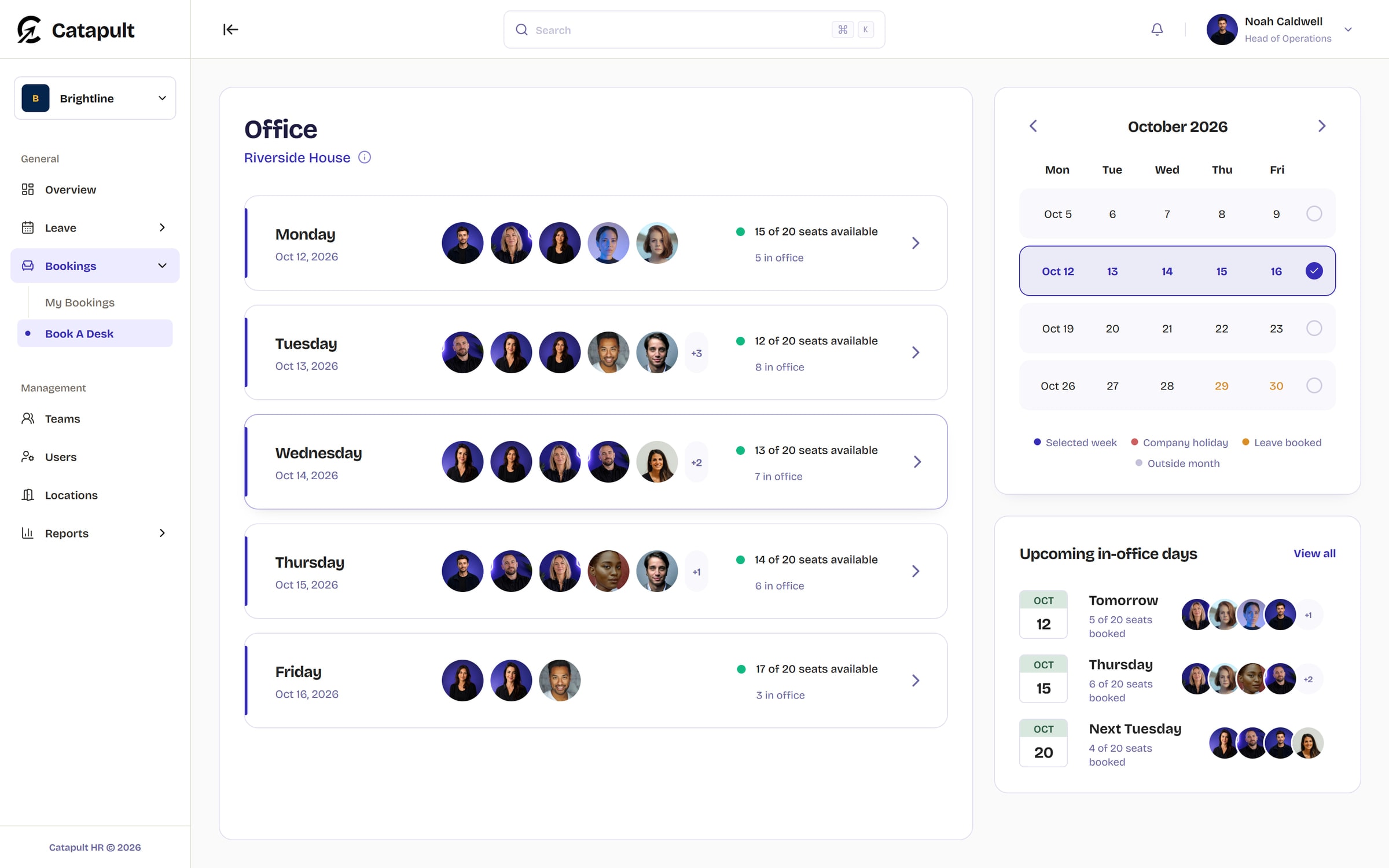
See the week at a glance
Book A Desk lists each working day with the colleagues already booked in and the seats still free. The calendar picks the week and marks bank holidays and days you have leave booked.
Step 2
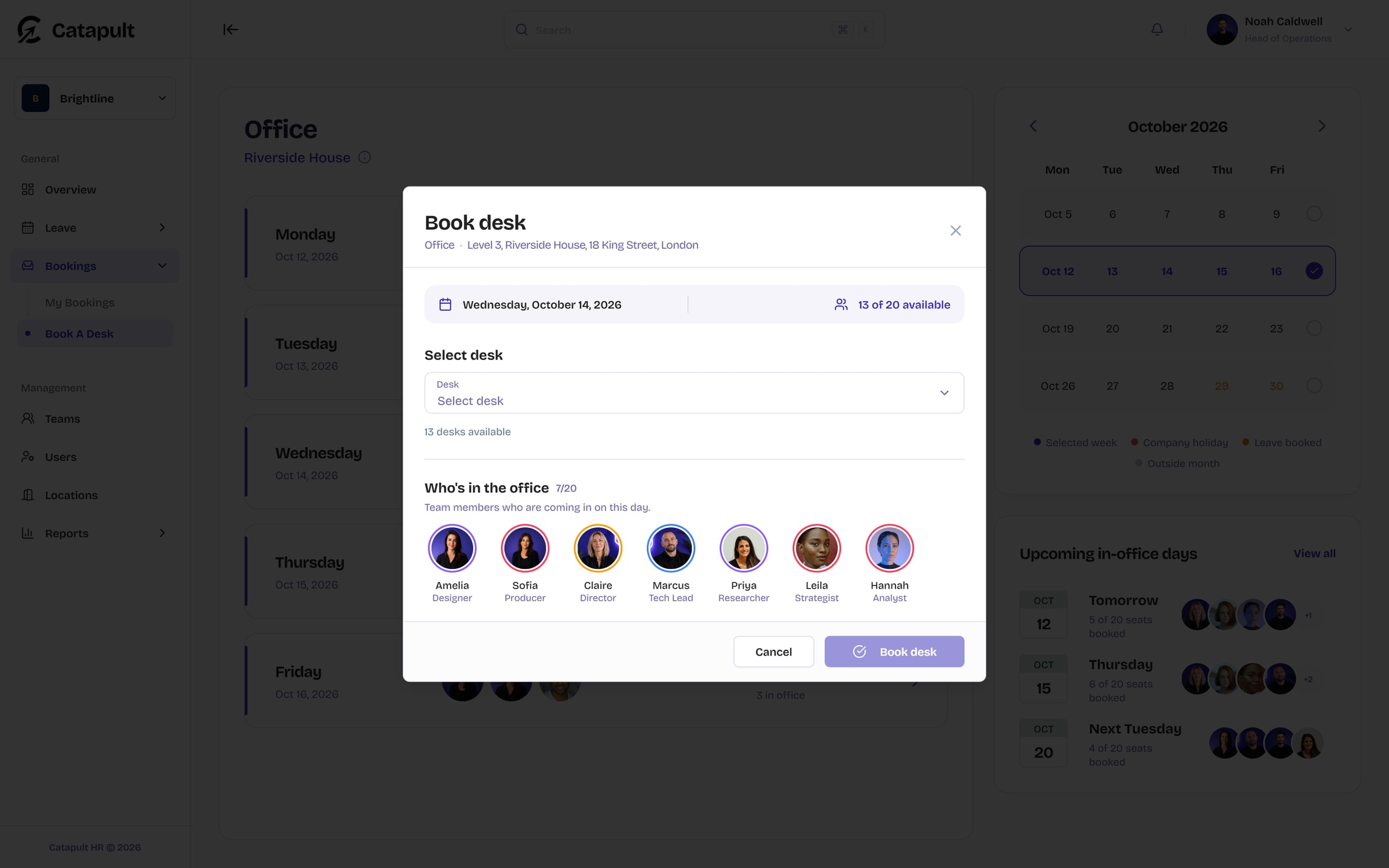
Check who'll be there
Open a day to see how many desks are left and who's coming in, with names and job titles, so you can pick the day that suits the people you need.
Step 3
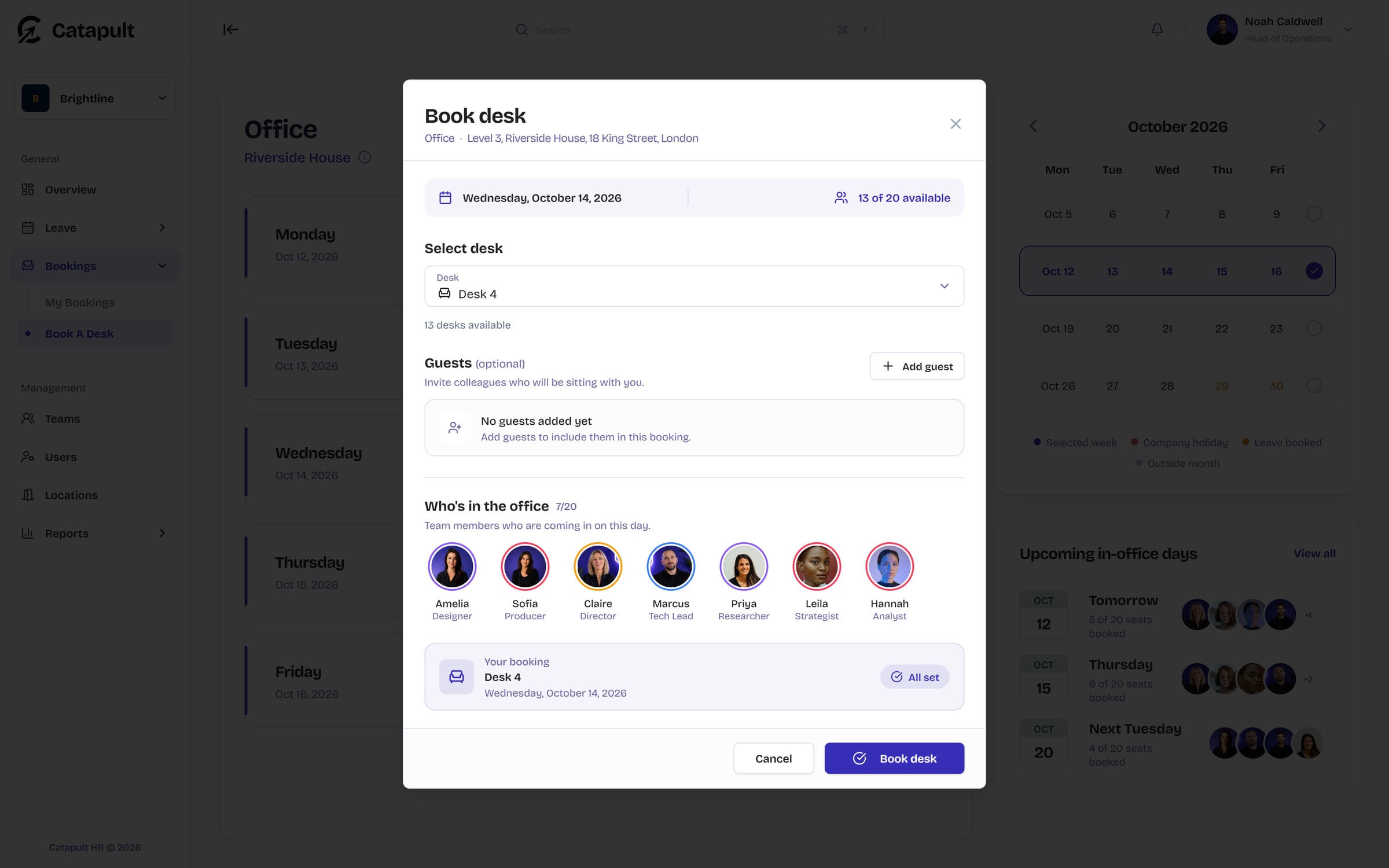
Book your desk
Choose a free desk and confirm. Colleagues sitting with you can be added as guests, with a desk chosen for each or assigned automatically.
Meeting rooms by the half hour
Book a room from 30 minutes to four hours and add the coworkers joining you. Catapult only offers start times where the whole meeting fits.
Thames room
Thu 8 Oct, 1 hour
11:30 to 12:30 with 2 coworkers
Who's in, every day
The dashboard shows who's in the office, working from home or on leave, team by team, so you can plan around the people you need.
Wednesday 7 October
9 of 12 inIn the office


Working from home


On leave
 Back Monday
Reports on how the office is used
Office reports show presence from desk bookings; capacity reports show who was available or on leave.
- Month to date from Starter
- Any period, weekday patterns, and team, room and person breakdowns on Professional
- PDF exports on Professional and Enterprise
Average workforce by weekday
Last 3 months, all teams
Which plan includes what
Desk and meeting-room booking are included on every plan, including Free. A room can be a desk area or a meeting room.
Desk booking questions
Something not covered here? Email support@catapult-hr.co.uk and we’ll get back to you.
Start freeIt depends on the plan: 7 days on Free, 30 on Starter, 90 on Professional and a year on Enterprise. Meeting rooms follow the same window.












Plan next week in Catapult
Set-up takes minutes: add your office, invite your team and the week starts filling itself in.
Free for up to 5 people. No card required.